
Multiplayer Guide and How to Unlock Co-Op
★ Version 2.6 Phase 2 is out now!
┣ Iuno Debut: Best Build - Materials - Weapon
┣ Rerun: Ciaccona Build - Materials
┣ Main Quest: By Moon's Fated Light
┣ Area: Sanguis Plateaus - 2.6 Sonance Caskets
┗ Events: Tidal Defense Sim, Marks of the Wild
Wuthering Waves features a multiplayer co-op system where other players can join a host's world. See all the game's multiplayer features, how to unlock co-op, and how to play with other Rovers in this guide!
List of Contents
Is There Multiplayer Co-op In-Game?
Multiplayer Co-Op is Supported
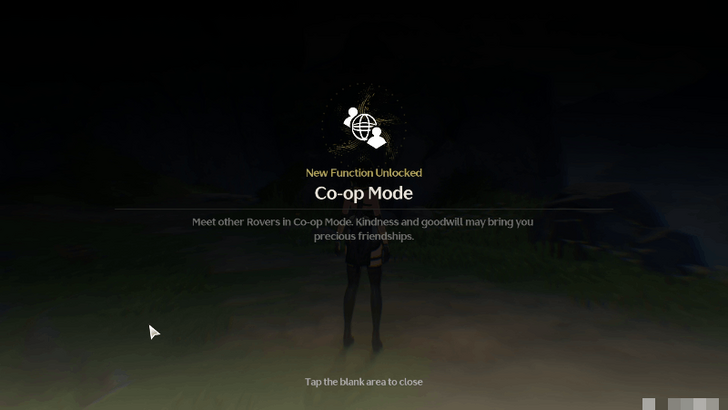
Wuthering Waves supports online multiplayer through co-op gameplay. Up to three players can play in a world at the same time.
Multiplayer Co-op Features
Team Up With Friends in Co-Op
You can host your world to let your friends join or enter other worlds and team up with others to defeat enemies. This should improve farming as you'll have companions helping out against tougher fights.
Chat With Others in Online Multiplayer

You can also interact with other players through chatting. See the link below for more information on the Chat Function!
Voice Chat
As of the moment, there is no implemented Voice Chat for Wuthering Waves. This page will be updated if new information about this is released!
Shared Drops
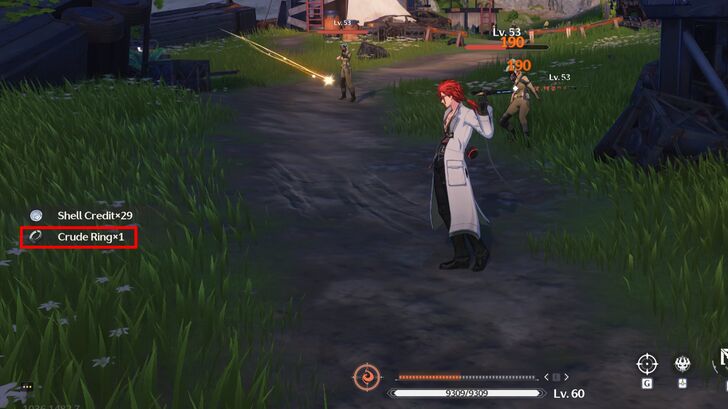
Items dropped by enemies in multiplayer will be shared with nearby players! Drop sharing has a limited radius, so be aware of how far away you are from other players in co-op when picking items up.
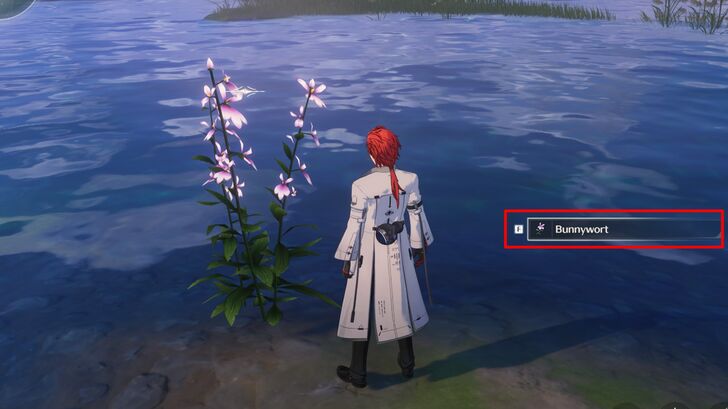
Note that items that must be picked up can only be acquired by one player. Be careful when picking these up as the Host or other players may also need them.
Co-op Forgery Challenge Rewards
In Multiplayer Co-op, players can attempt Forgery Challenges as a group. Each player uses their own Waveplates, not the host's. Make sure that everyone has sufficient Waveplates for which challenge you want to tackle!
Forgery Challenges and How to Unlock
How to Unlock Multiplayer Co-op
Unlocks At Union Level 22
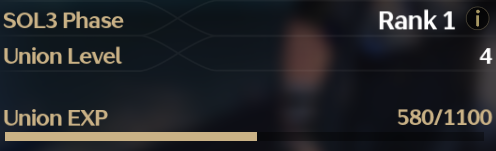
The Co-op function that allows players to enter Multiplayer and visit others in their respective worlds will be unlocked once the player reaches Union Level 22.
How to Use Multiplayer Co-op
Makes Use of the Friends Menu
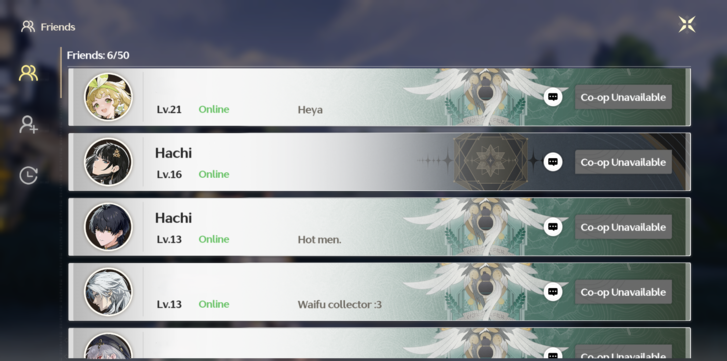
Having Friends added makes it easy to find some fellow Rovers to start Multiplayer with. The Friends Menu can be found in the main menu near the start of the game.
How to Add and Play with Friends
Send Invite To Friend

Look for your friends on the Friends page and check first to see if they are currently online. If they are, you can send a request to join their world. You will be transported to their world, close to their location, once accepted.
Or, Receive an Invite From a Friend
Players can send invites to have them come to your world instead. Usually, those you have added as friends are the players that will immediately have access to this option.
Multiplayer Co-op Limitations
SOL3 Phase Level Based on Host
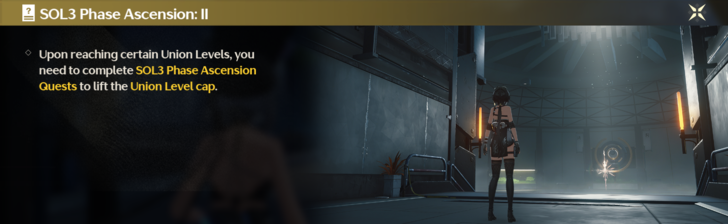
The strength of the enemies in the overworld will be based on the SOL3 level of the player hosting the multiplayer session. This means your SOL3 Phase level must be equal to or higher than that of the host.
How to Raise Your SOL3 Phase Level
Host-limited Functions
Only the Host can interact with things like Treasure Chests or inactive Resonance Beacons. Players joining a host can also only fast-travel to points that the Host has unlocked. Also, players joining a Host do not progress their own world when completing things with their Host.
Server and Game Version Restrictions
You can only engage in co-op with players who match your server region and game version. Multiplayer among others who do not match either criteria will not be available .
Wuthering Waves Related Guides

Beginner's Guide: Tips and Tricks
Tips and Tricks
Echo Guides
Puzzle Guides
Utilities
| Utilities | |
|---|---|
| All Utilities | Grappling Hook |
| Sensor | Waypoint |
| Casket Sonar | Levitator |
| Projector | Lootmapper |
| Camera | Ultrasonic Pulse Chip |
| New Flight Mechanics | - |
Unmarked Challenges
| Unmarked Challenges | |
|---|---|
| Unmarked Challenge Locations | How to Complete the Backflip Challenge |
| Travel in Jinzhou Gulpuff Challenge | Mingming and Doudou Hide And Seek |
FAQs



Author

Multiplayer Guide and How to Unlock Co-Op

Rankings
- We could not find the message board you were looking for.
Gaming News




Popular Games

Genshin Impact Walkthrough & Guides Wiki
Hollow Knight: Silksong Walkthrough & Guides Wiki
Umamusume: Pretty Derby Walkthrough & Guides Wiki
Borderlands 4 Walkthrough & Guides Wiki
Wuthering Waves Walkthrough & Guides Wiki
Honkai: Star Rail Walkthrough & Guides Wiki
Pokemon TCG Pocket (PTCGP) Strategies & Guides Wiki
Pokemon Scarlet and Violet (SV) Walkthrough & Guides Wiki
Zenless Zone Zero Walkthrough & Guides Wiki
Clair Obscur: Expedition 33 Walkthrough & Guides Wiki








Recommended Games
Fire Emblem Heroes (FEH) Walkthrough & Guides Wiki
Yu-Gi-Oh! Master Duel Walkthrough & Guides Wiki
Persona 3 Reload Walkthrough & Guides Wiki
Once Human Walkthrough & Guides Wiki
Black Myth: Wukong Walkthrough & Guides Wiki
The Legend of Zelda: Tears of the Kingdom Walkthrough & Guides Wiki
Super Smash Bros. Ultimate Walkthrough & Guides Wiki
Monster Hunter World Walkthrough & Guides Wiki
Diablo 4: Vessel of Hatred Walkthrough & Guides Wiki
Elden Ring Shadow of the Erdtree Walkthrough & Guides Wiki










All rights reserved
Copyright© 2024-2025 Kuro Games. All Rights Reserved.
The copyrights of videos of games used in our content and other intellectual property rights belong to the provider of the game.
The contents we provide on this site were created personally by members of the Game8 editorial department.
We refuse the right to reuse or repost content taken without our permission such as data or images to other sites.
Coop in this game is a step forward in the right direction and I'm actually grateful for it, but It's still lacking a lot of liberties that other videogames with coop mechanics have.